
Payments and tokens
Use this when a customer pays for electricity, or pays an instalment on a system they bought.
- Tap Collect payment from the orange "➕" button on Home. You can also start it from a customer's device or from a sale, which fills in the device for you.
- Enter the Device serial of the meter or solar home system and tap Continue.
- Enter the AMOUNT RECEIVED and tap Review & confirm. For an instalment, the app shows the minimum and maximum amount allowed.
- If your company accepts mobile payments, choose the payment method:
- Cash: the customer gives you the money. It is added to your balance.
- A payment provider: the customer pays from their own phone. Your balance does not change.
- Check the summary and tap Cash received — confirm (or Request payment for a phone payment). Only confirm after you have the money in your hand; this cannot be undone.
The app then shows Payment collected and waits a few seconds for the token. Read the TOKEN to the customer, or tap it to copy it, so they can enter it on their meter or solar home system.
If the screen shows NO TOKEN ISSUED, the payment is still recorded. The customer receives the token by SMS when it is ready.
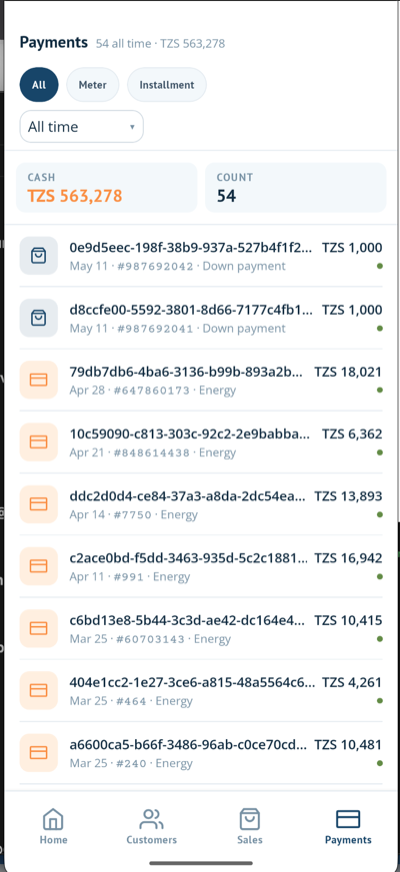
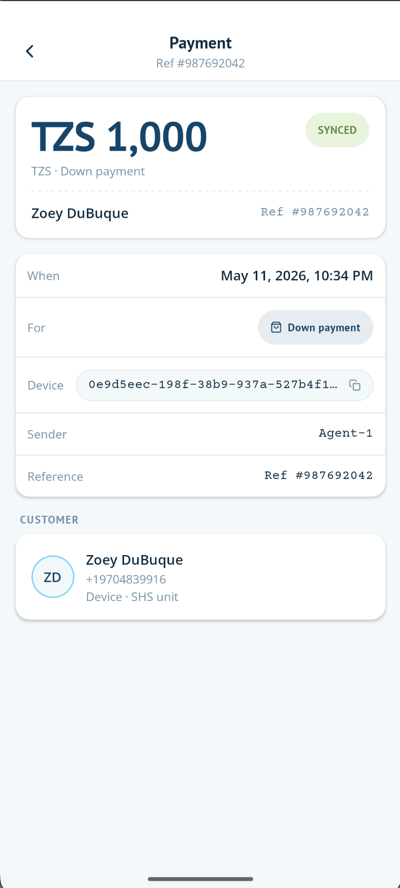
The Payments tab lists your payments for Today, This week or All time. Tap a payment to see its details: when it was made, what it was for, the device, who paid and the reference number.